Weavestream Screenshots
A visual tour of Weavestream — the operator control plane for managing companies, assets, domains, passwords, and more.
Dashboard
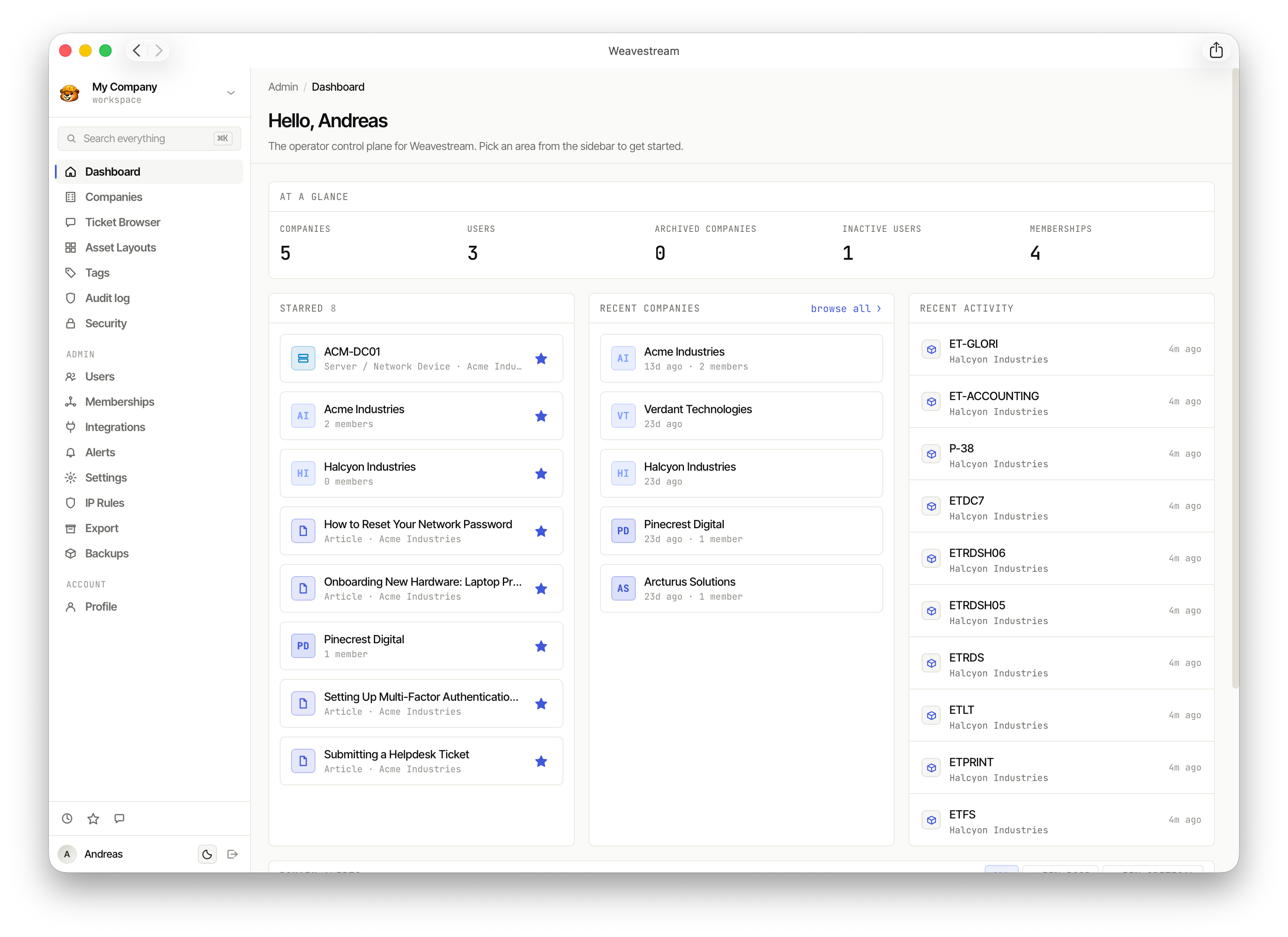
The main dashboard gives operators an at-a-glance overview: company counts, user counts, starred records, recent companies, and live activity.
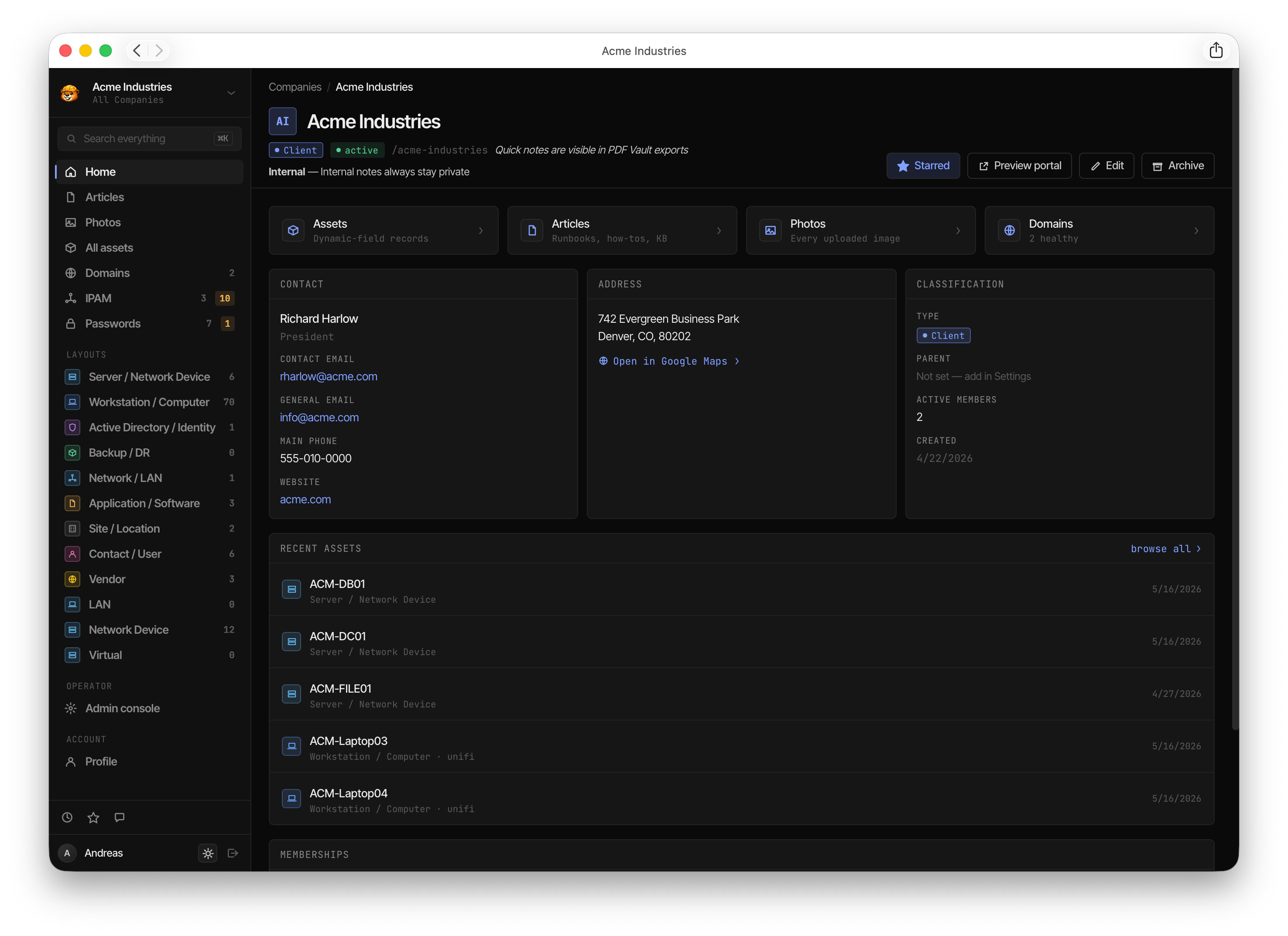
Weavstrem is also available in dark mode.
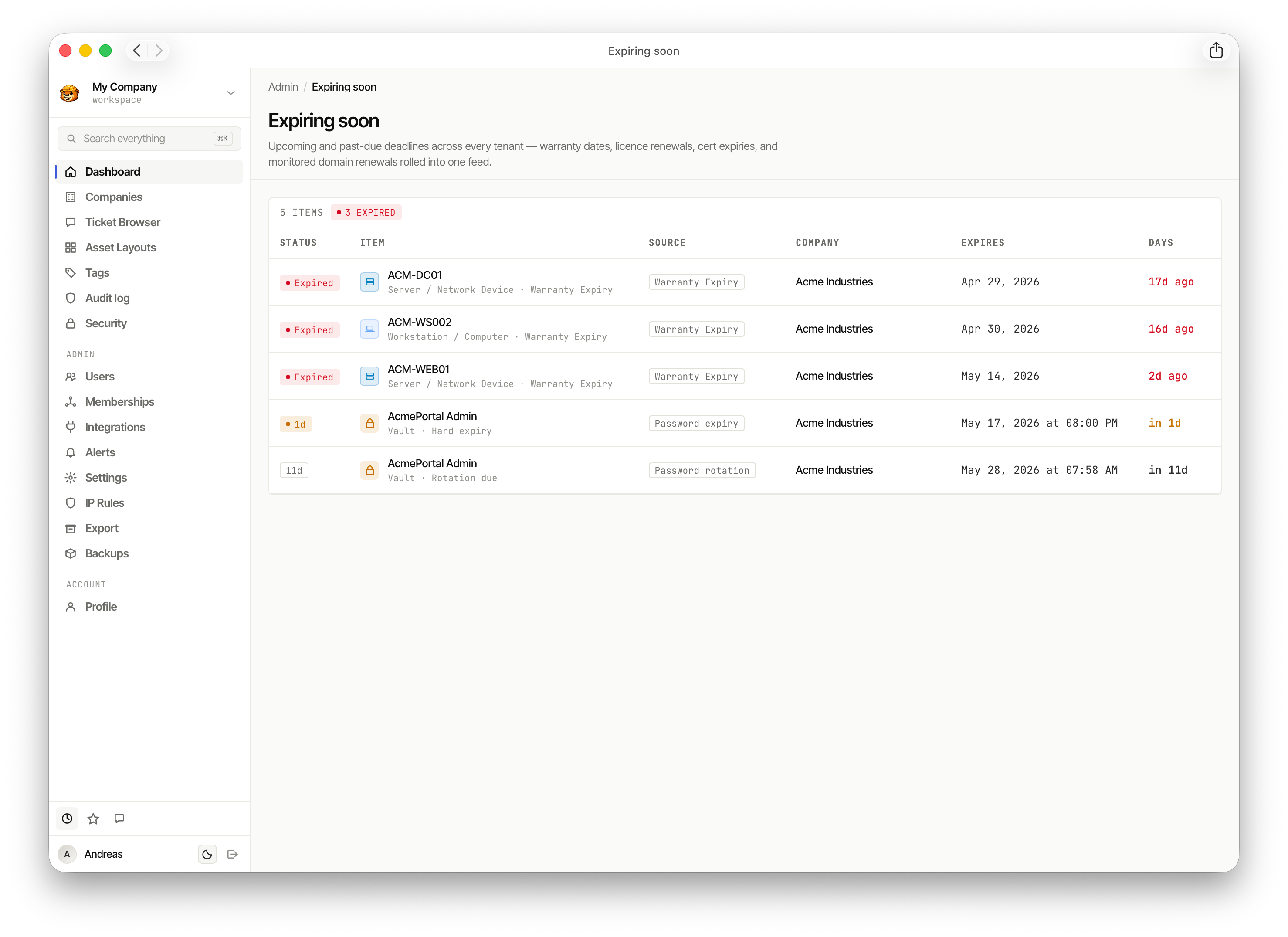
The Expiring soon view surfaces upcoming and overdue deadlines across all tenants — warranty dates, licence renewals, cert expiries, and domain renewals in one feed.
Companies
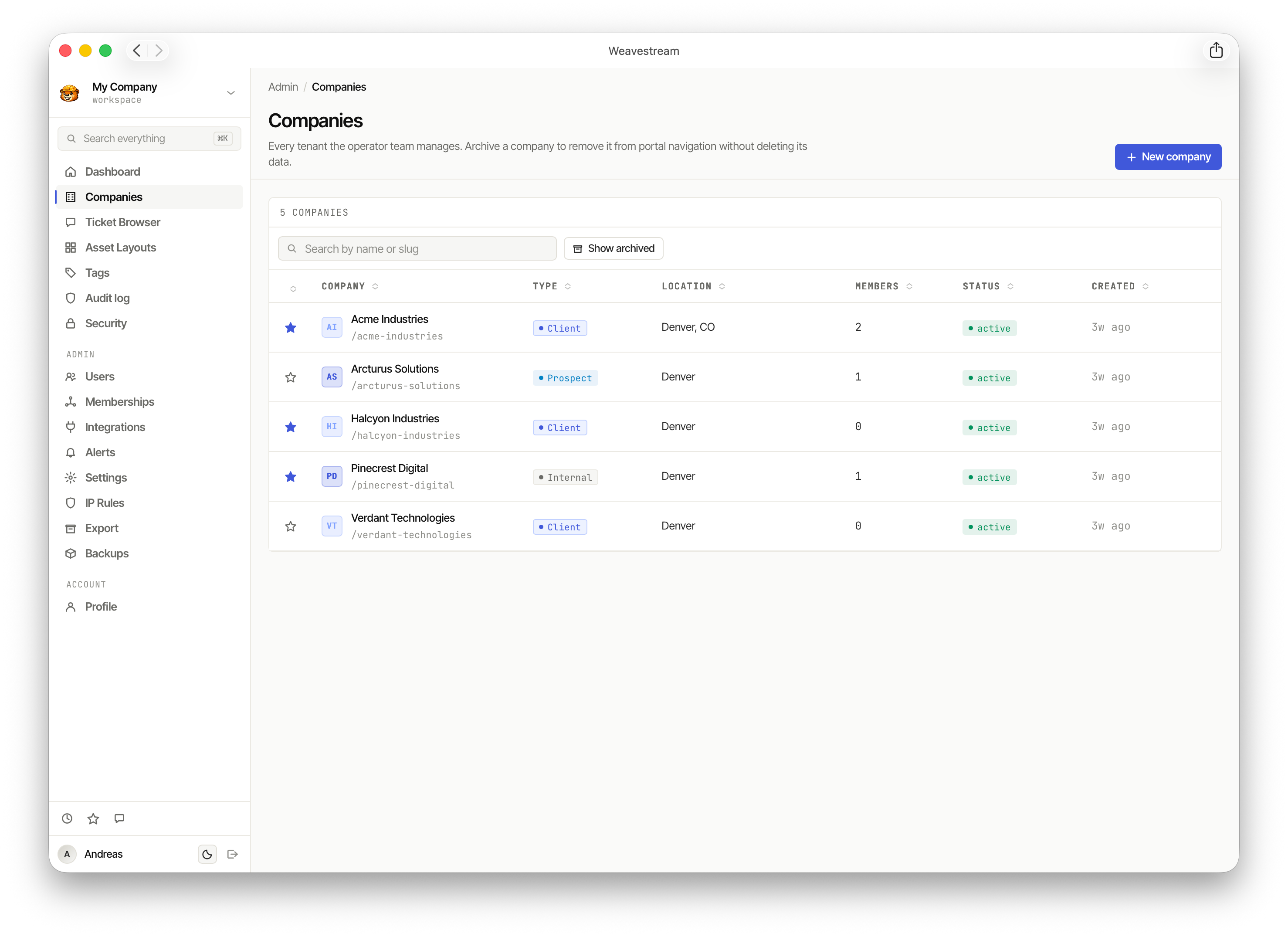
The Companies list shows every tenant the operator manages, with type, location, member count, and active status.
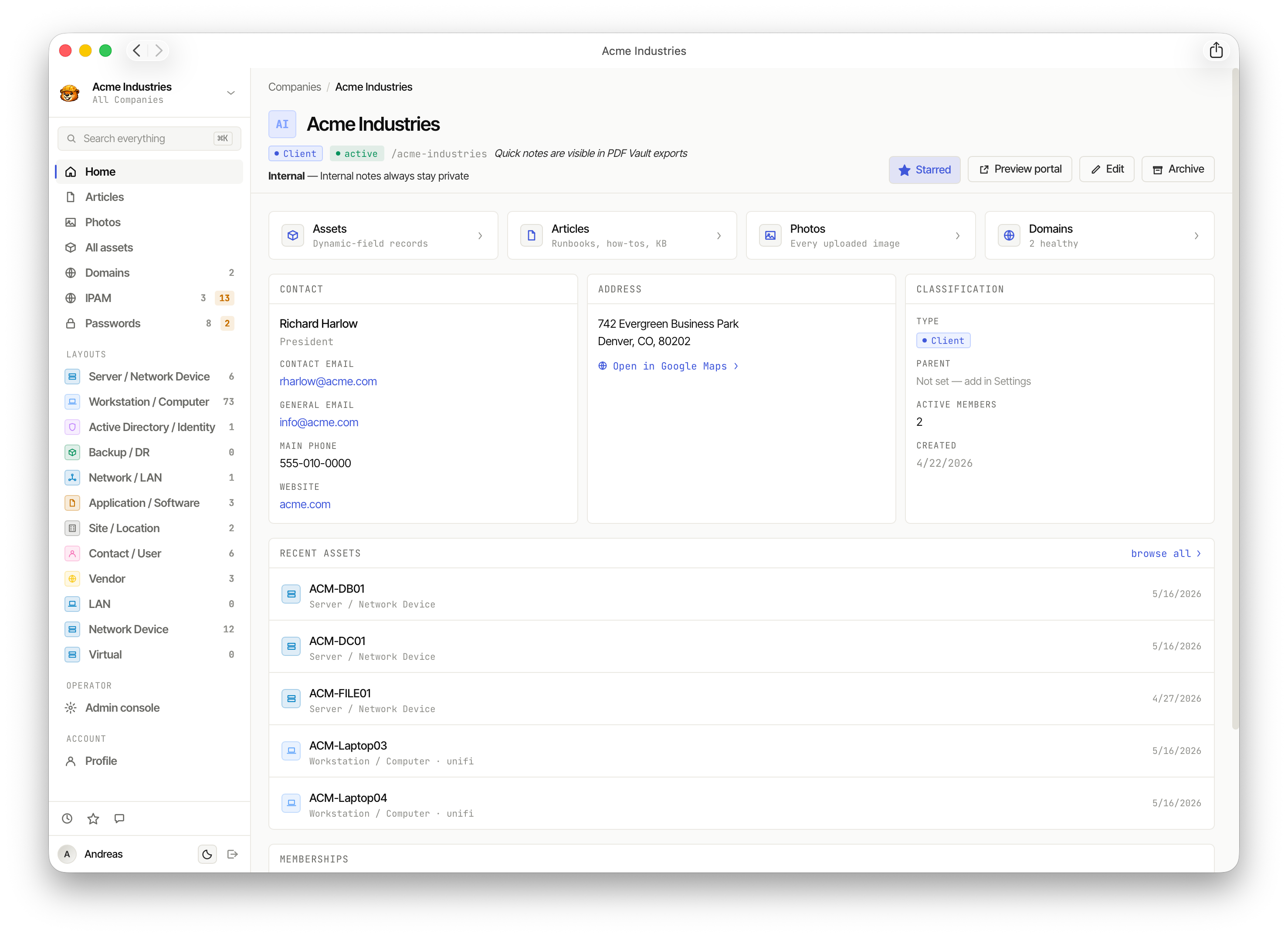
Each company has its own dashboard — contact info, address, recent assets, articles, photos, domains, and quick-nav to every layout.
Assets
Asset Browser
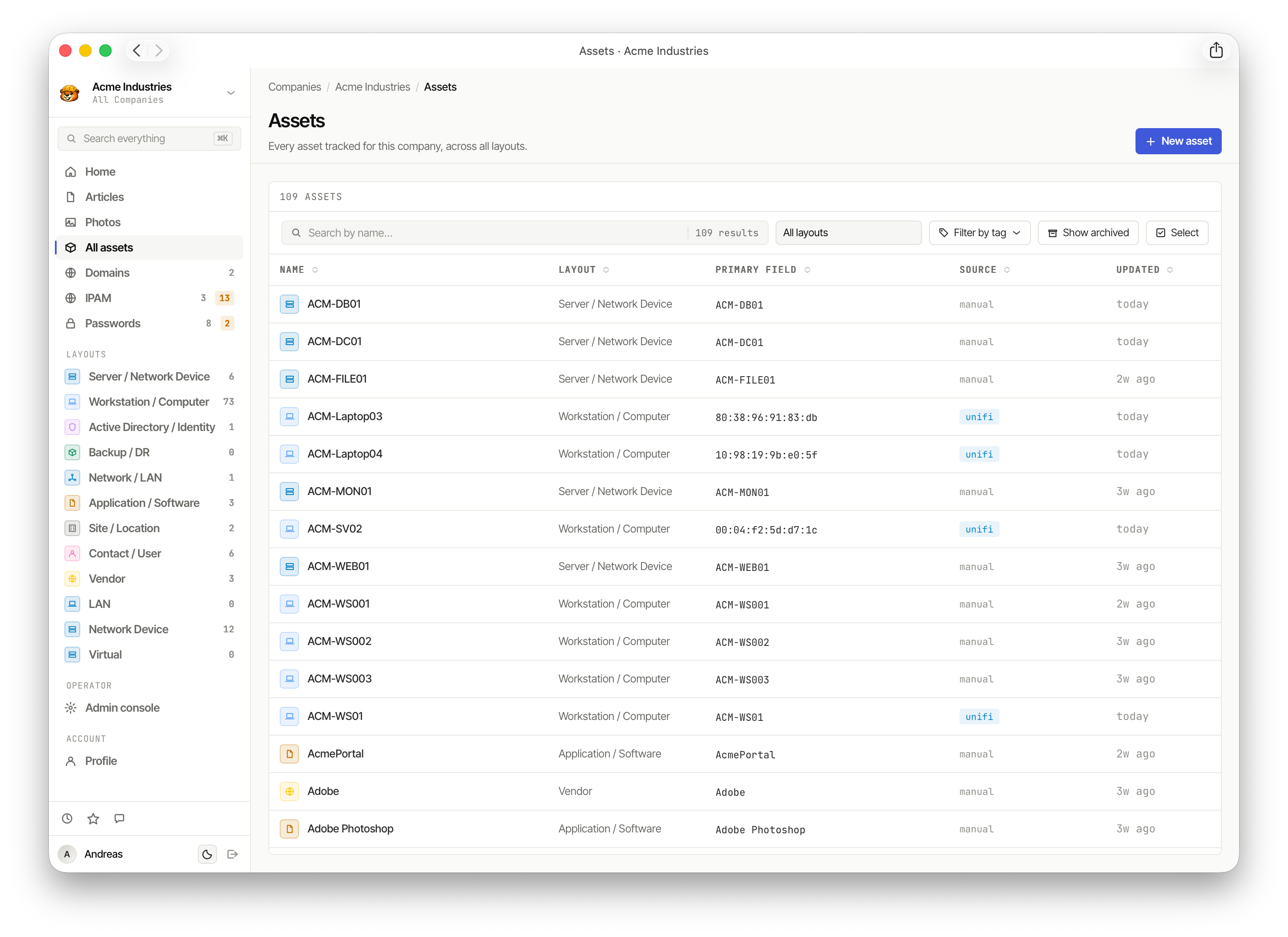
The All assets view lists every record tracked for a company across all layouts — searchable, filterable by layout, tag, and source.
Asset Layouts
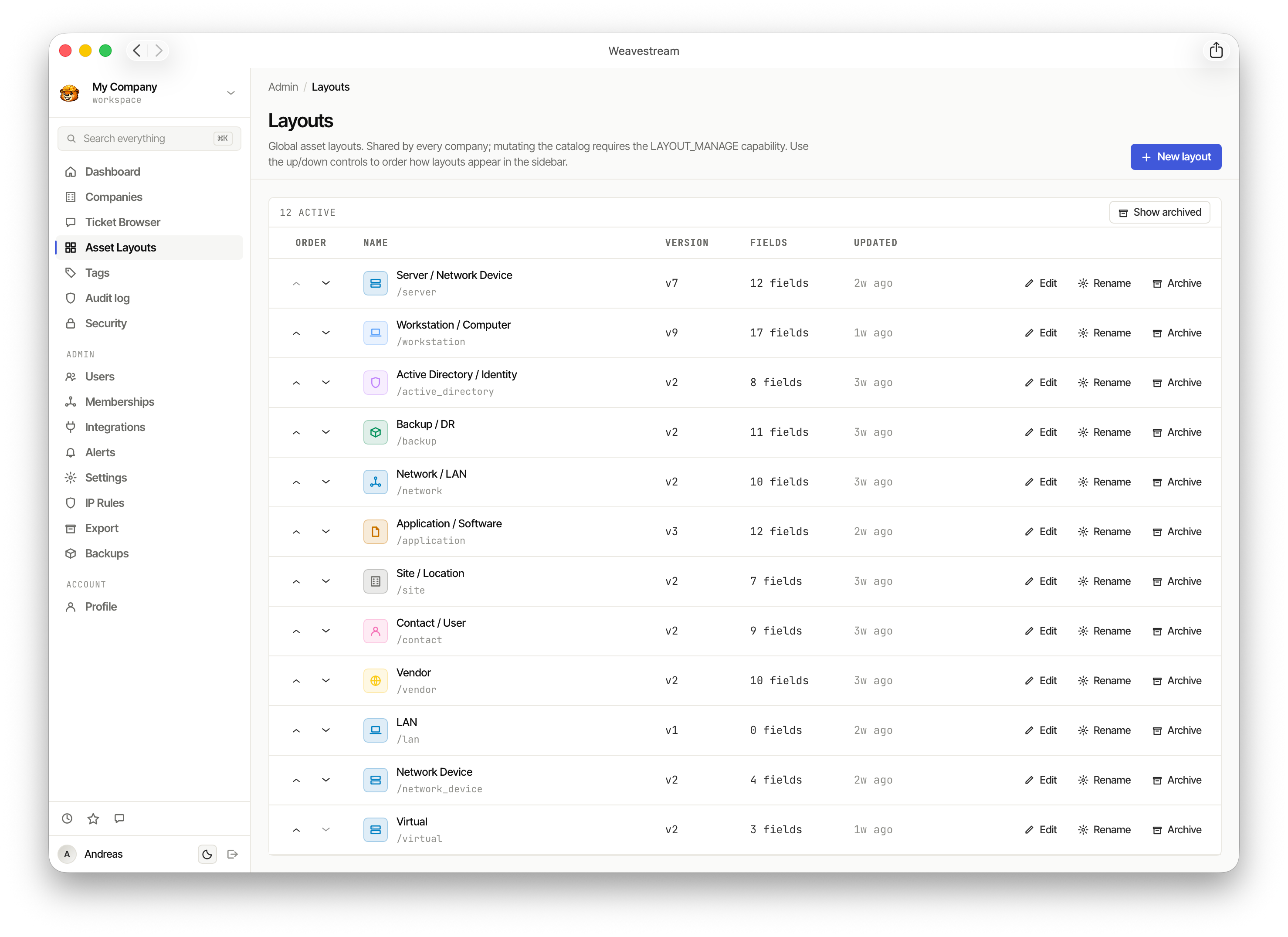
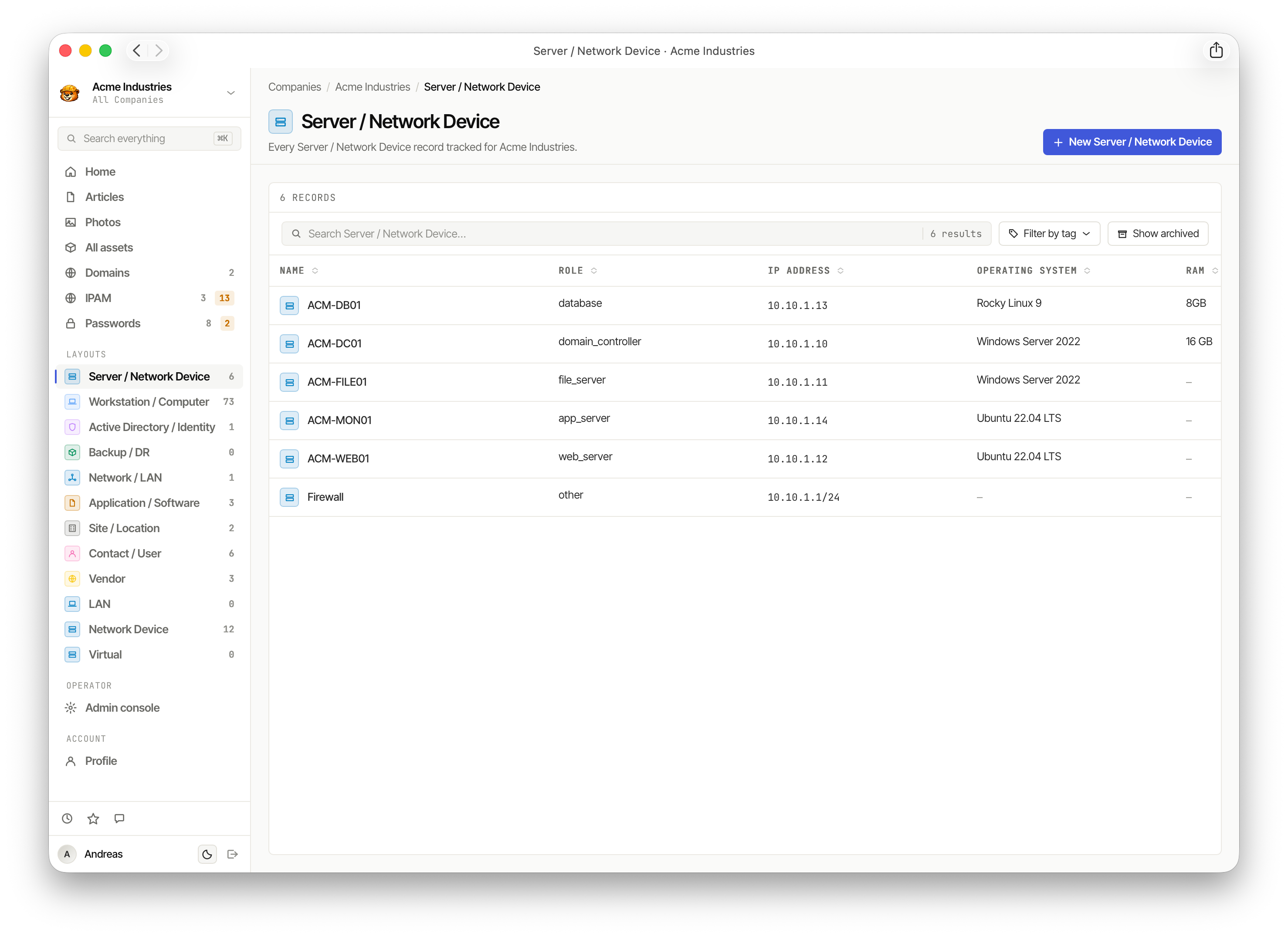
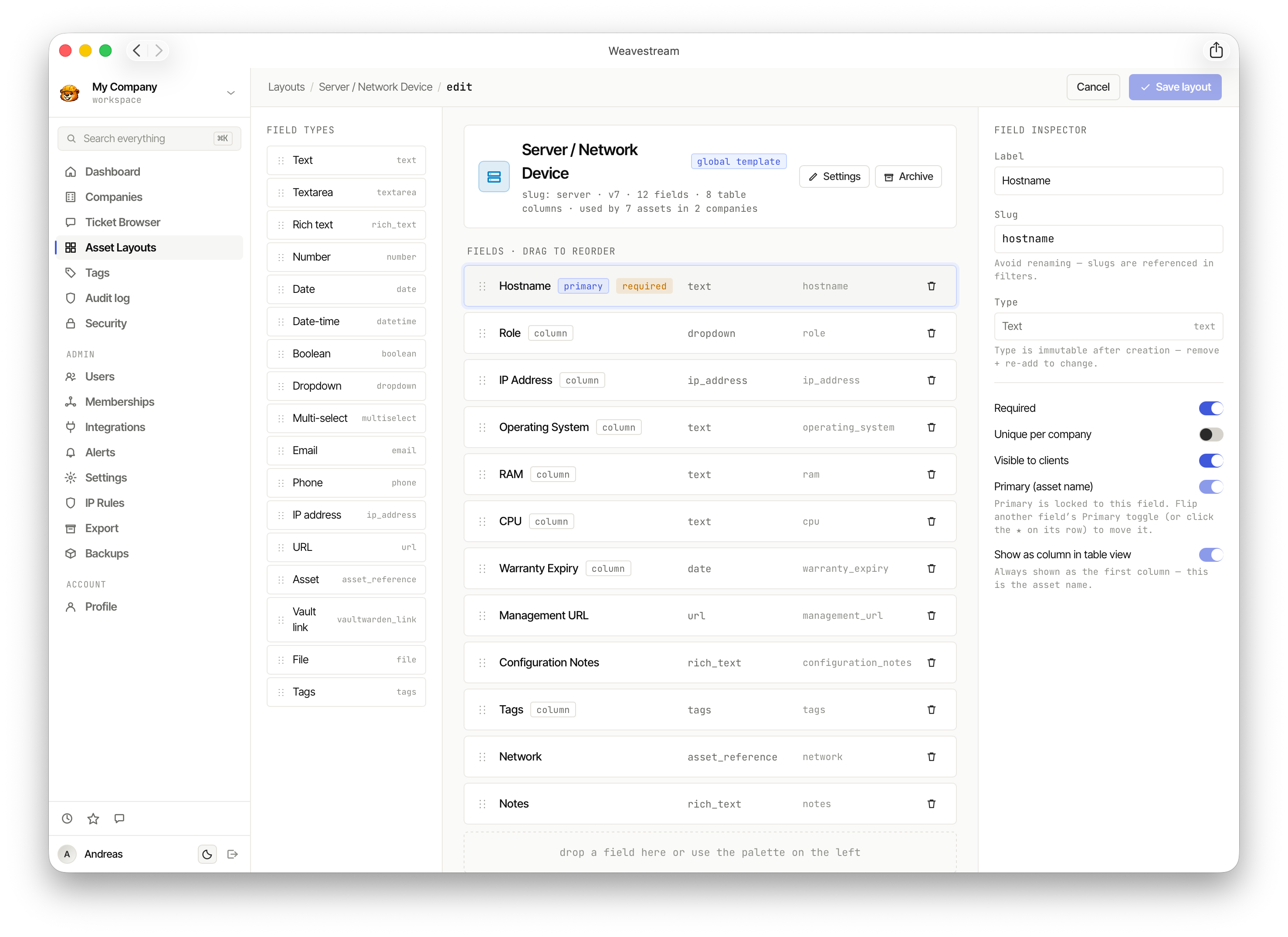
Layouts are global, shared schemas that define the fields for each asset type (Server/Network Device, Workstation/Computer, Backup/DR, and more).
Opening a layout shows all records of that type for the current company — primary fields, IP addresses, OS, RAM, and more.
Layout Editor
The Layout editor lets operators drag, drop, and configure fields — setting types, labels, validation rules, and display options — then save as a new version.
Knowledge Base
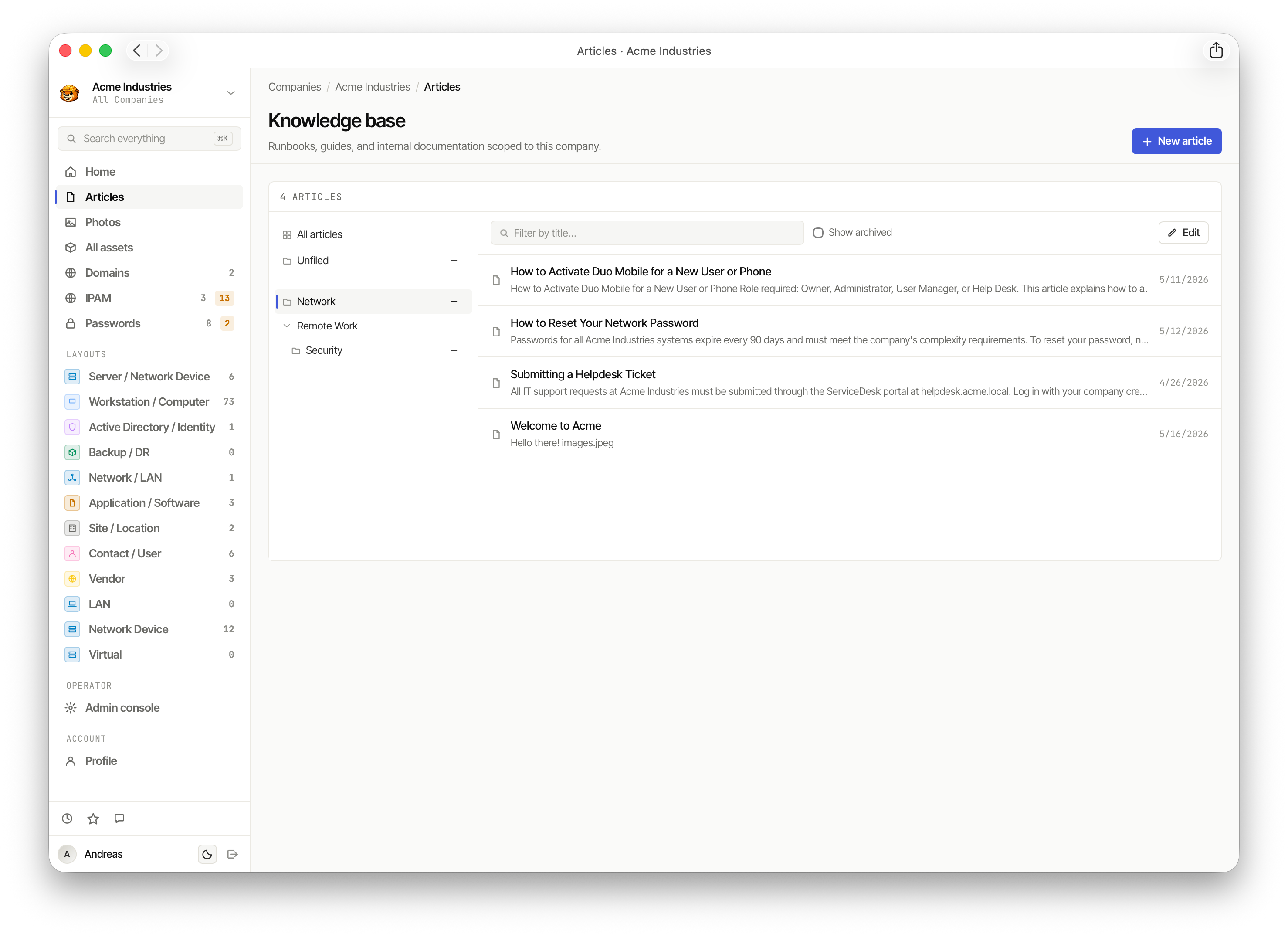
The Articles section is a per-company knowledge base for runbooks, how-tos, and internal documentation, organized into folders.
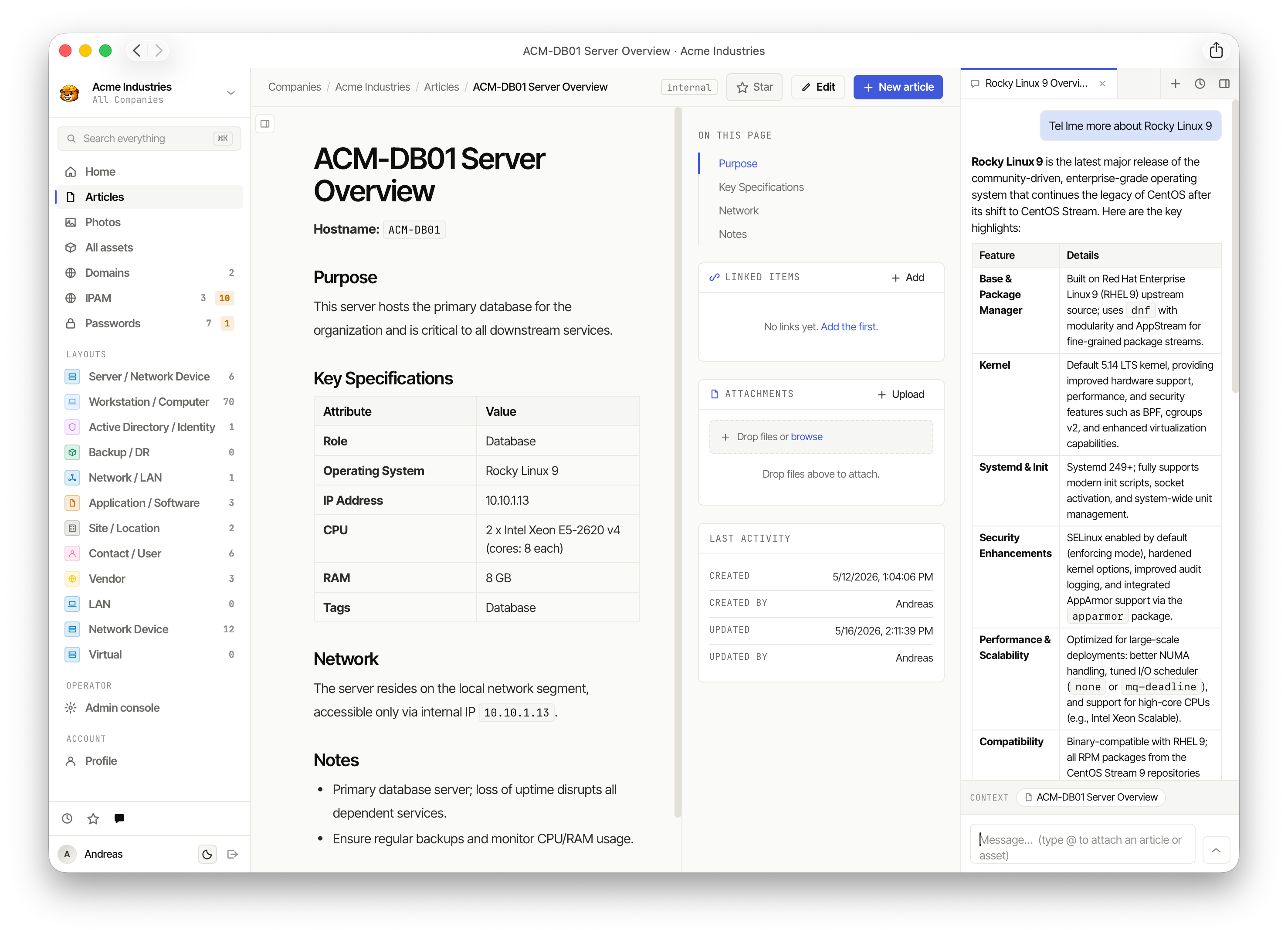
Articles support rich text and can be linked to specific assets. An AI sidebar can pull in contextual information about referenced records in real time.
Domains
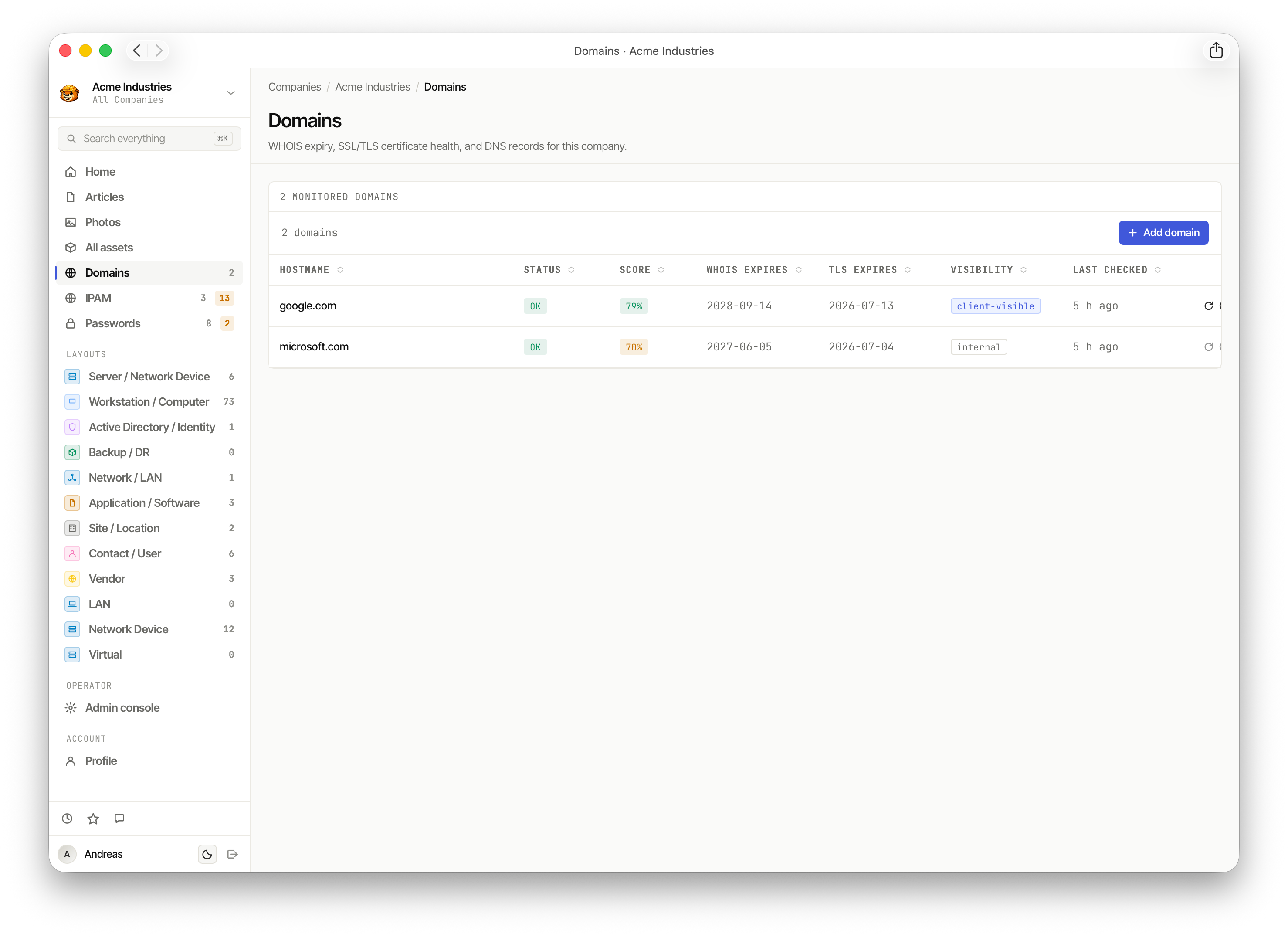
The Domains list tracks WHOIS expiry, SSL/TLS certificate health, and DNS records for every monitored domain per company.
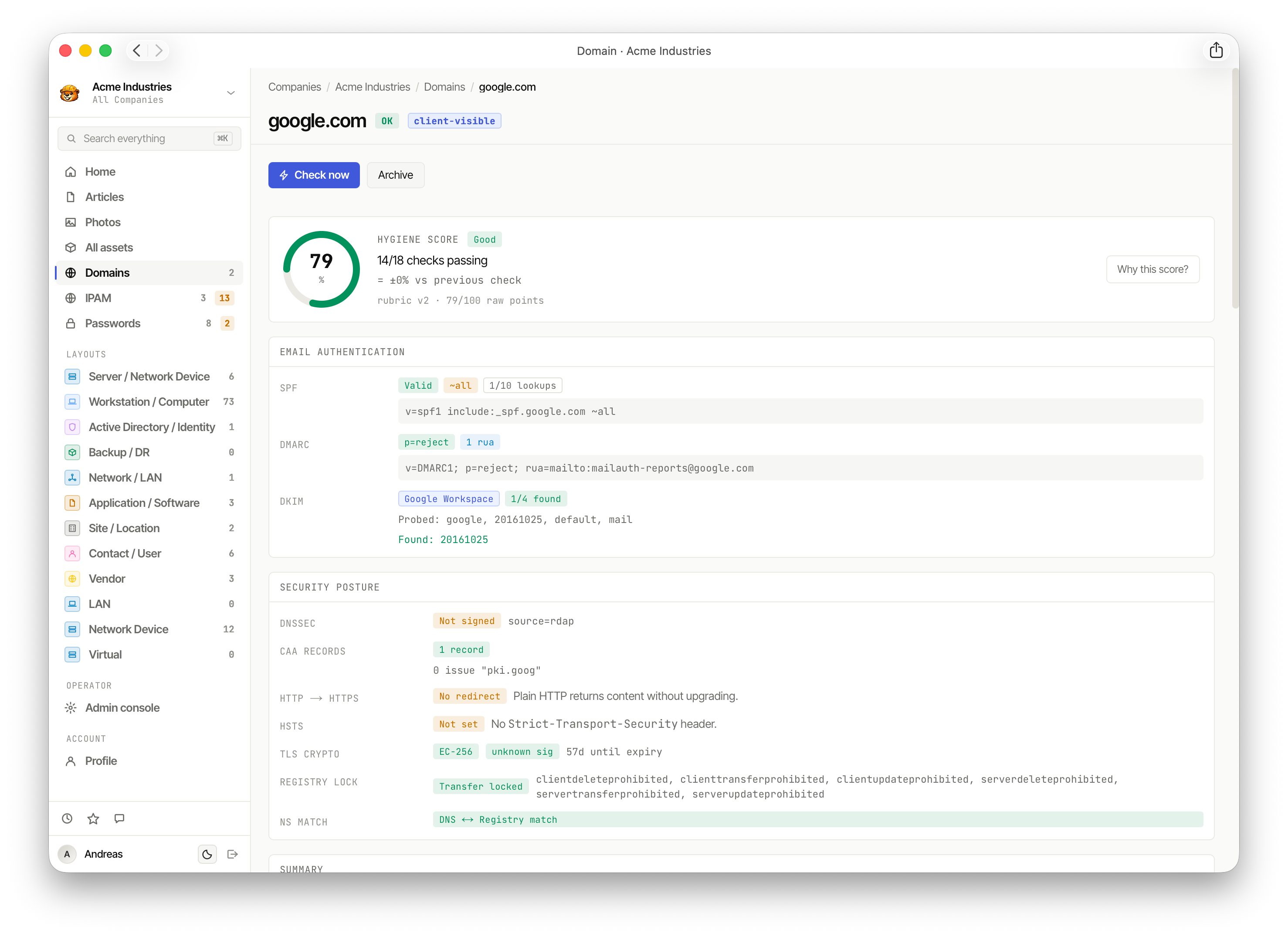
Clicking a domain opens a detailed health score — SPF, DMARC, DKIM, DNSSEC, HSTS, TLS, and registry lock status, with a hygiene score out of 100.
Passwords
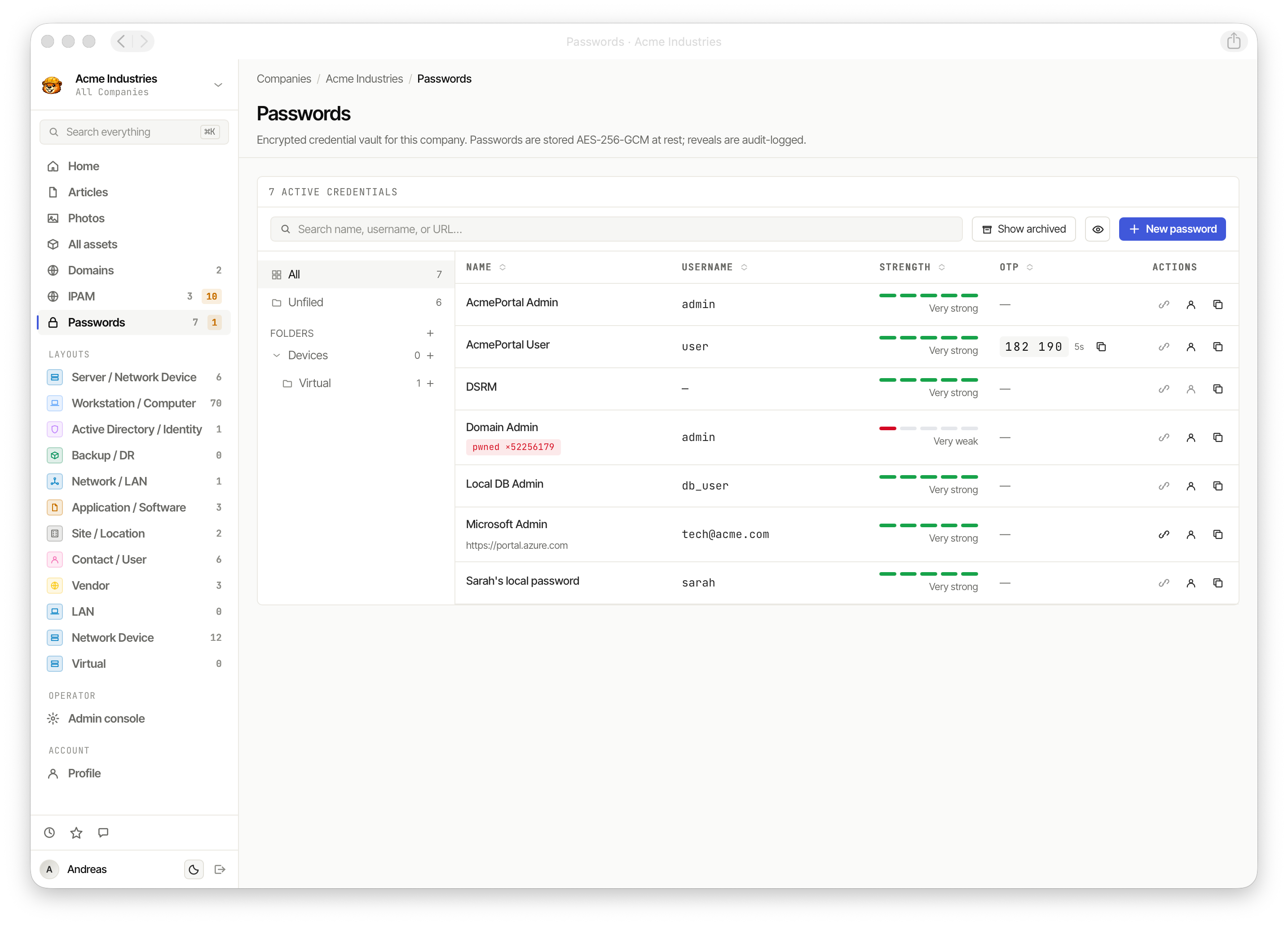
The Password vault stores encrypted credentials (AES-256-GCM at rest) per company, organized into folders. Strength indicators and OTP support are built in.
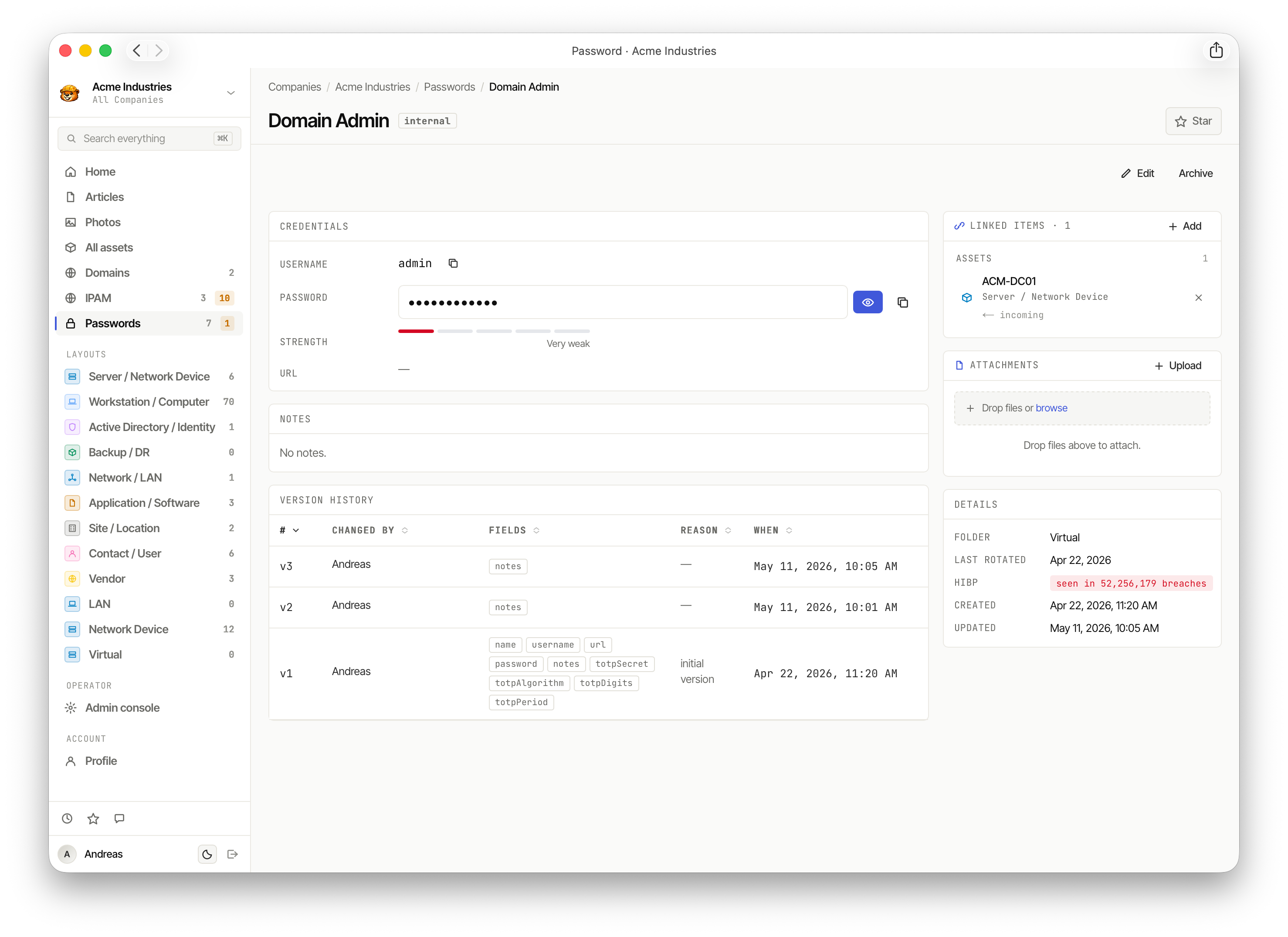
Each password record shows full credential details, version history with field-level change tracking, HaveIBeenPwned breach status, and linked assets.
IPAM
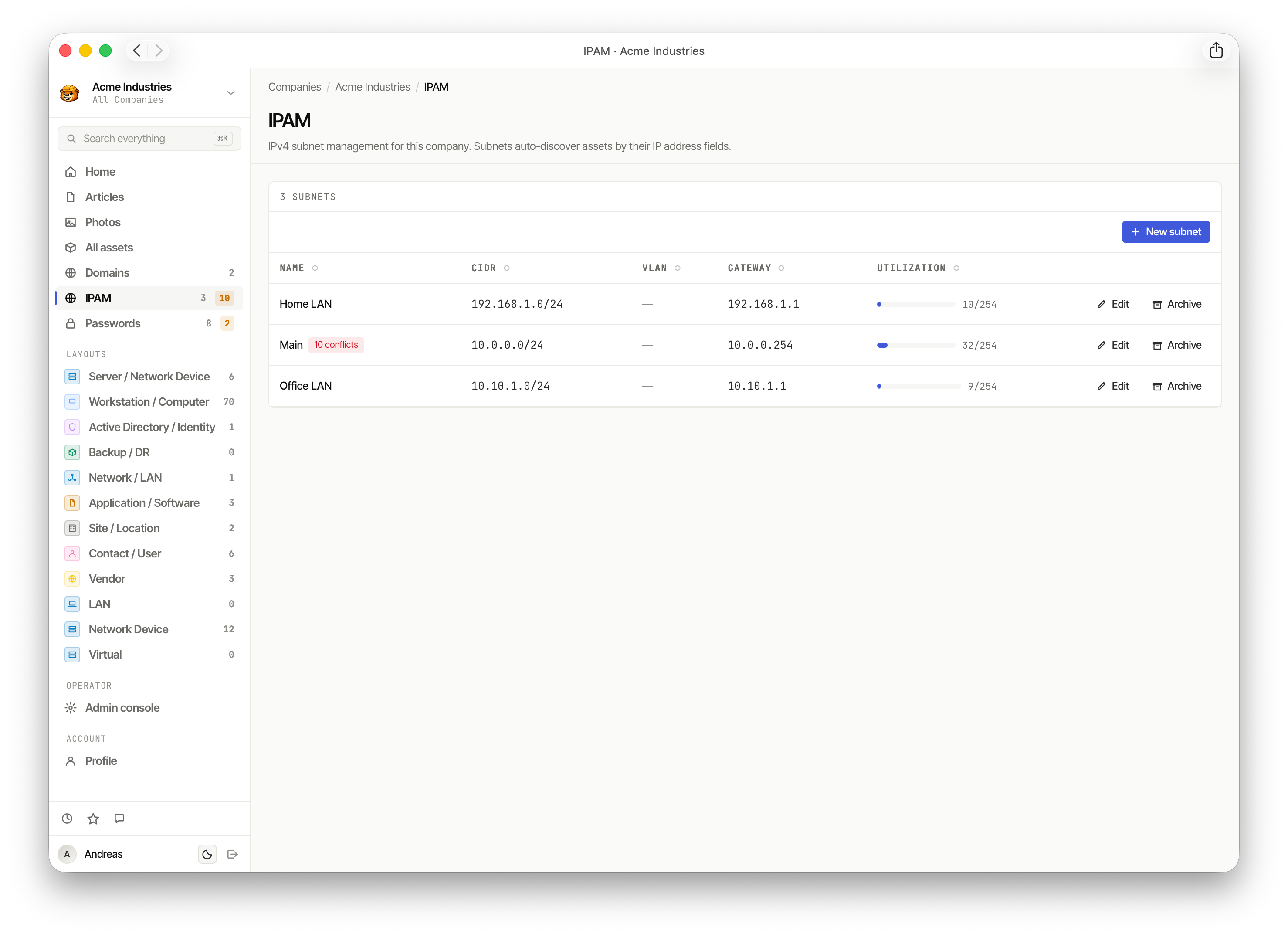
The IPAM module manages IPv4 subnets per company. Subnets auto-discover assets by their IP address fields and track utilization.
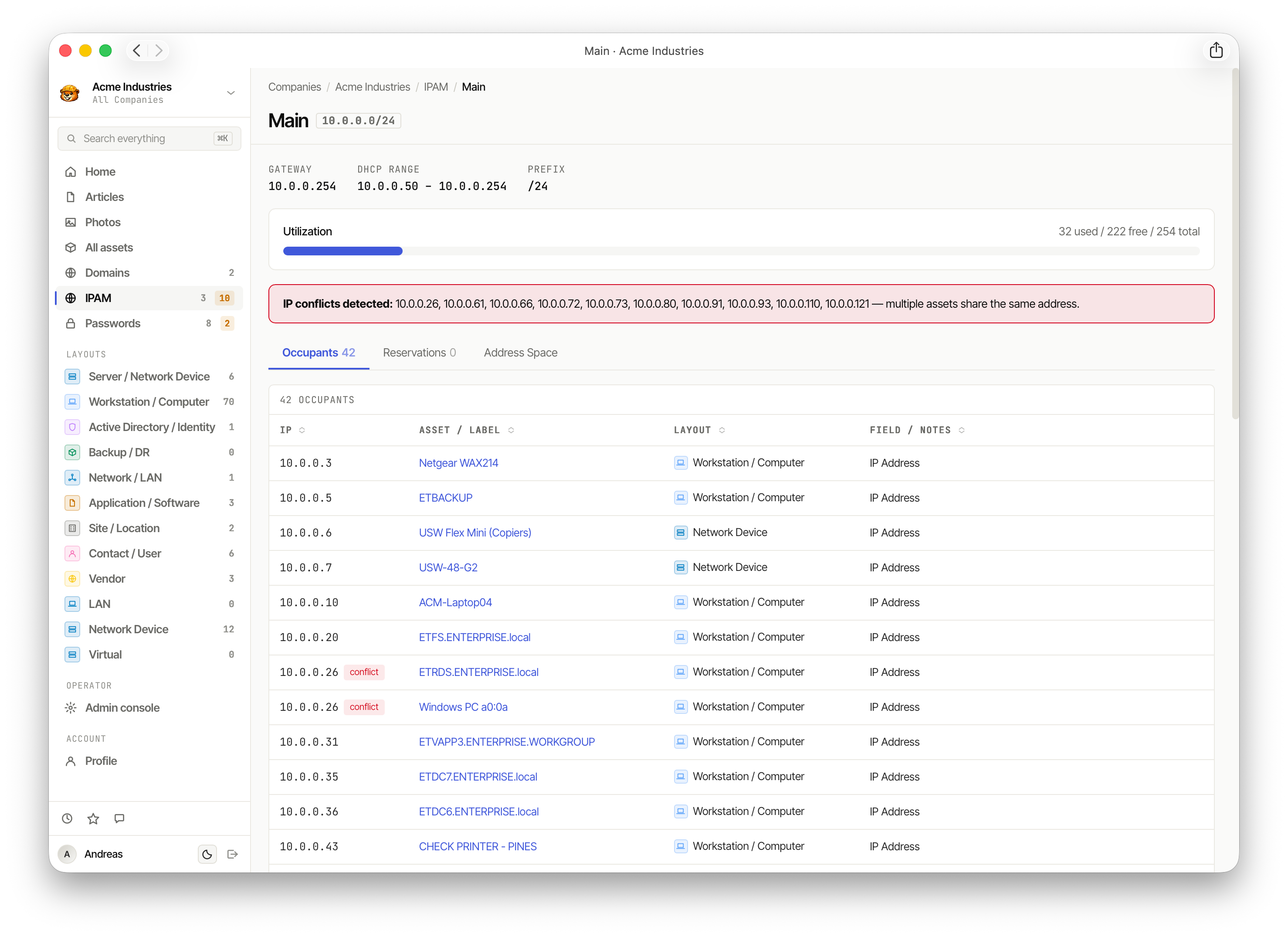
The Occupants tab lists every asset mapped to an IP in the subnet, with conflict detection for duplicate addresses.
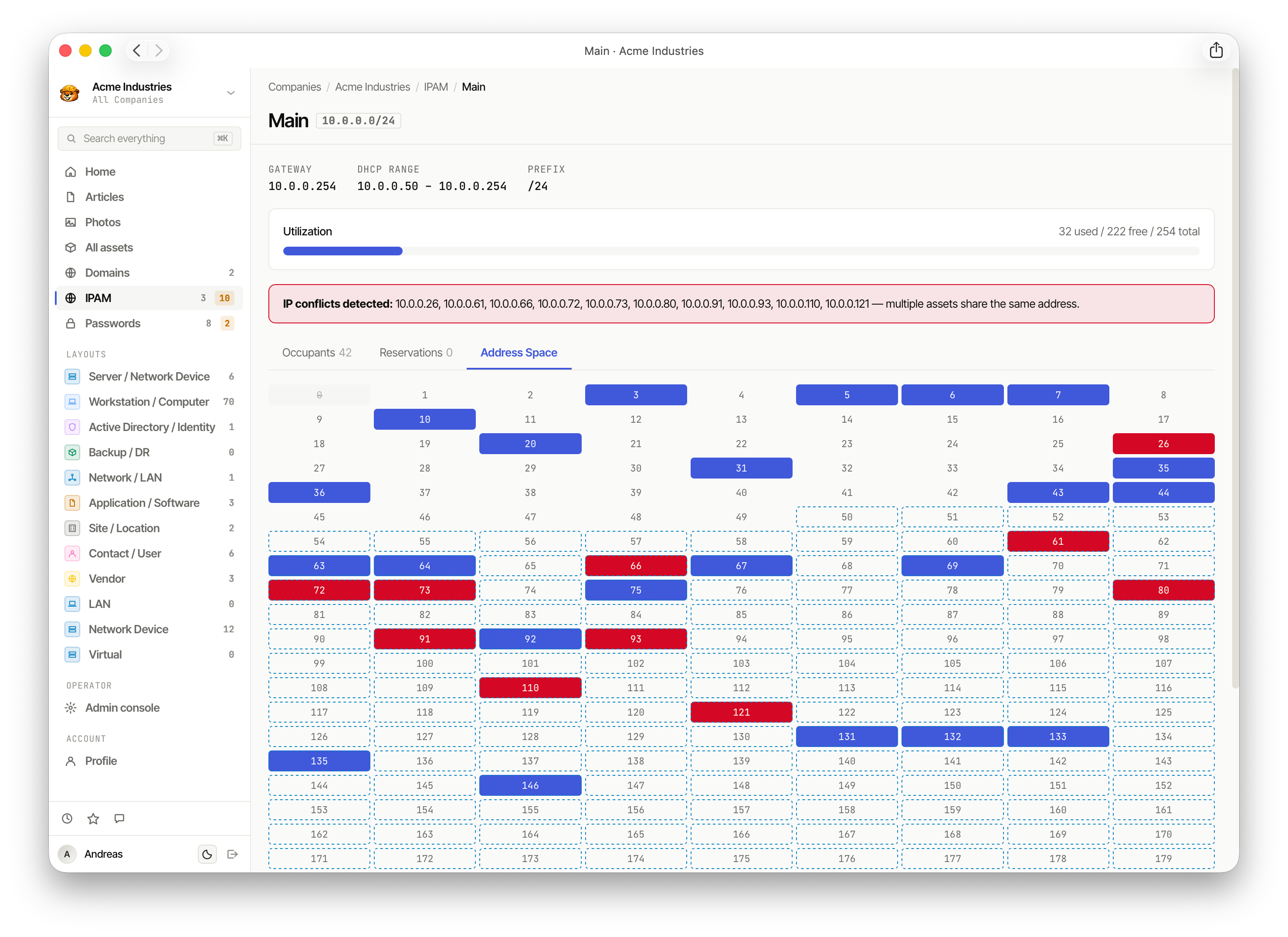
The Address Space tab gives a visual grid of all 254 addresses in a subnet — blue for occupied, red for conflicted, white for free.
Security & Alerts
Security Center
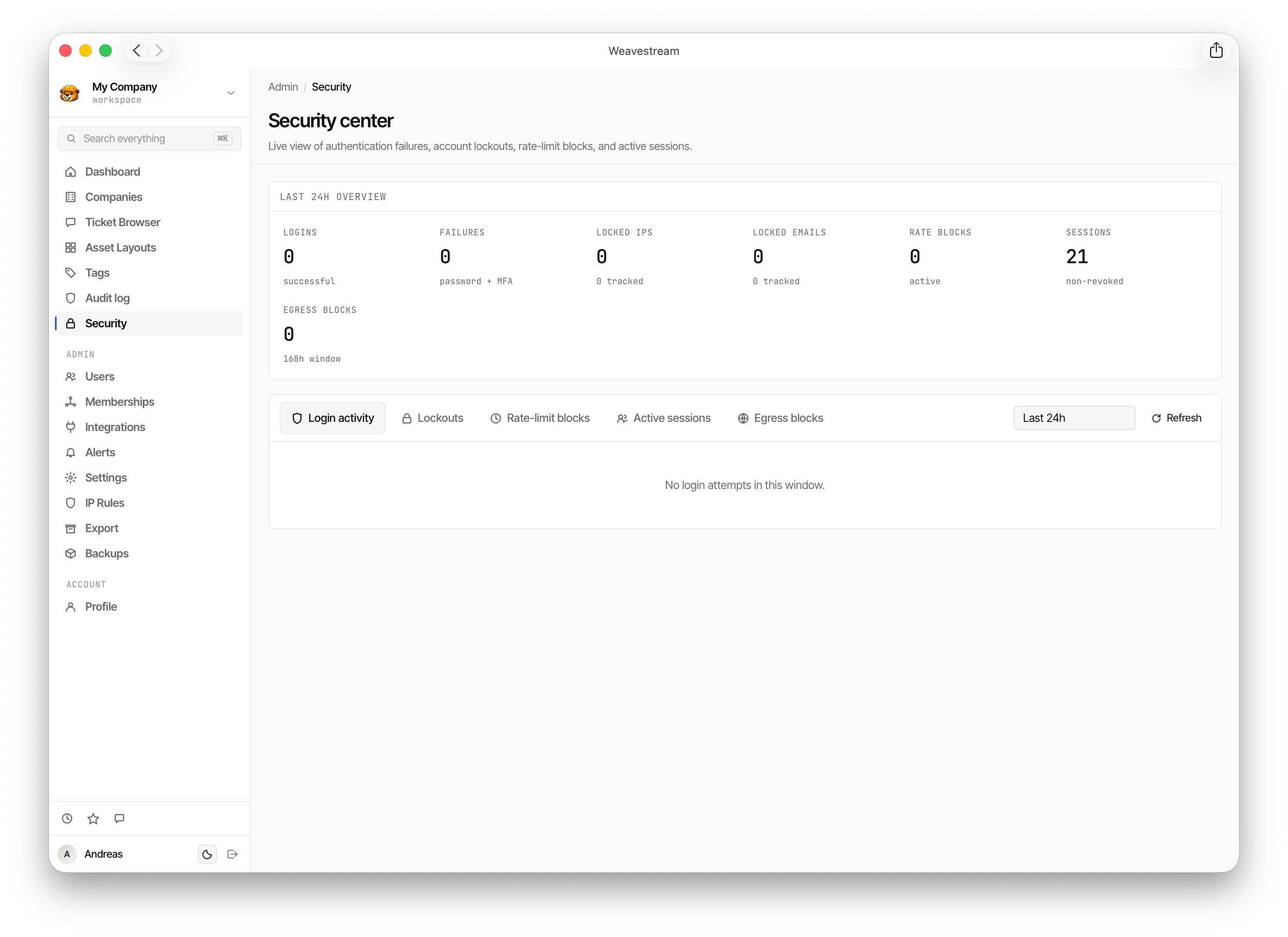
The Security center provides a live view of authentication failures, account lockouts, rate-limit blocks, and active sessions across the workspace.
Alerts
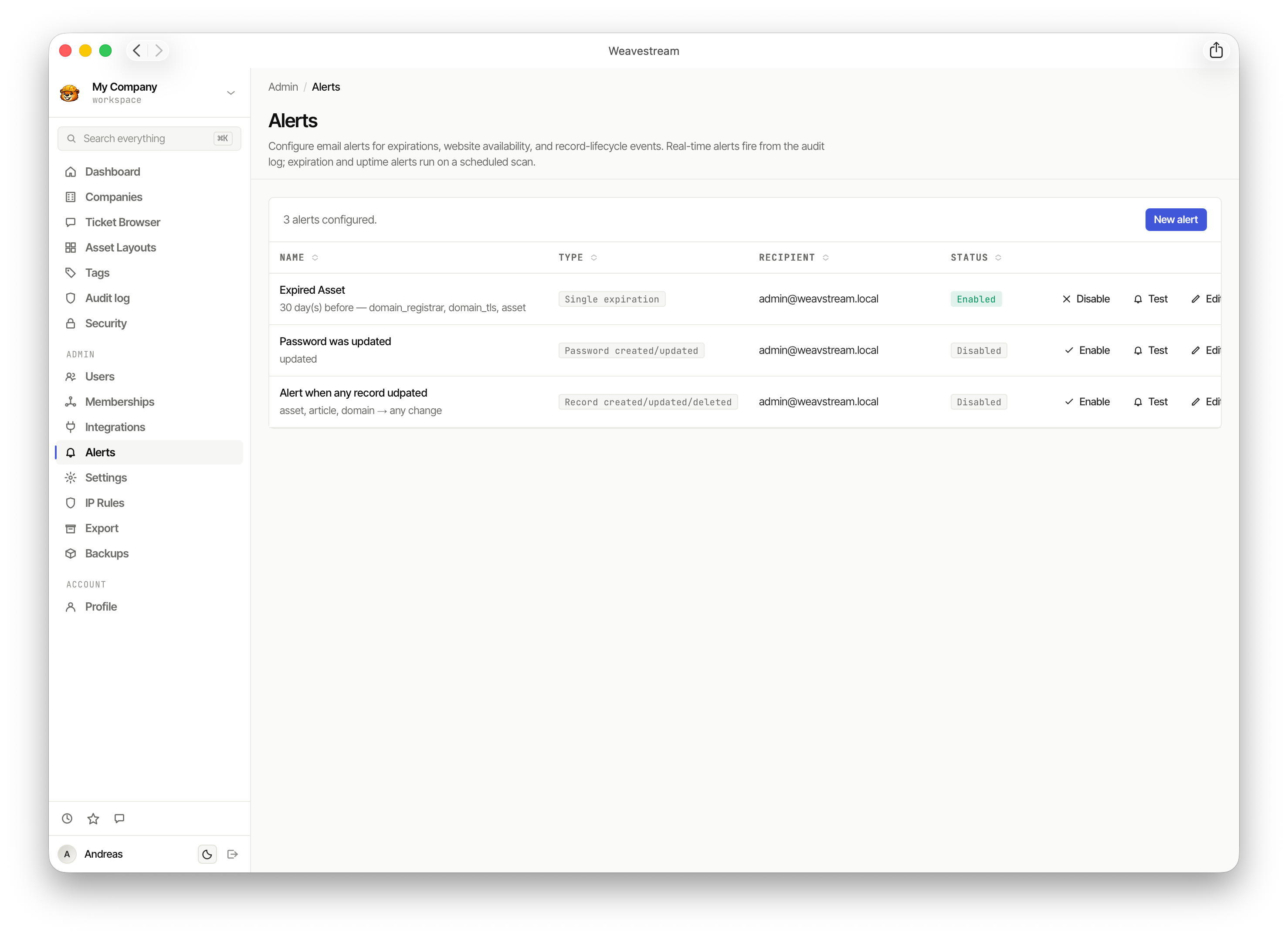
Alerts let operators configure email notifications for expirations, password changes, website availability, and record lifecycle events.
Integrations
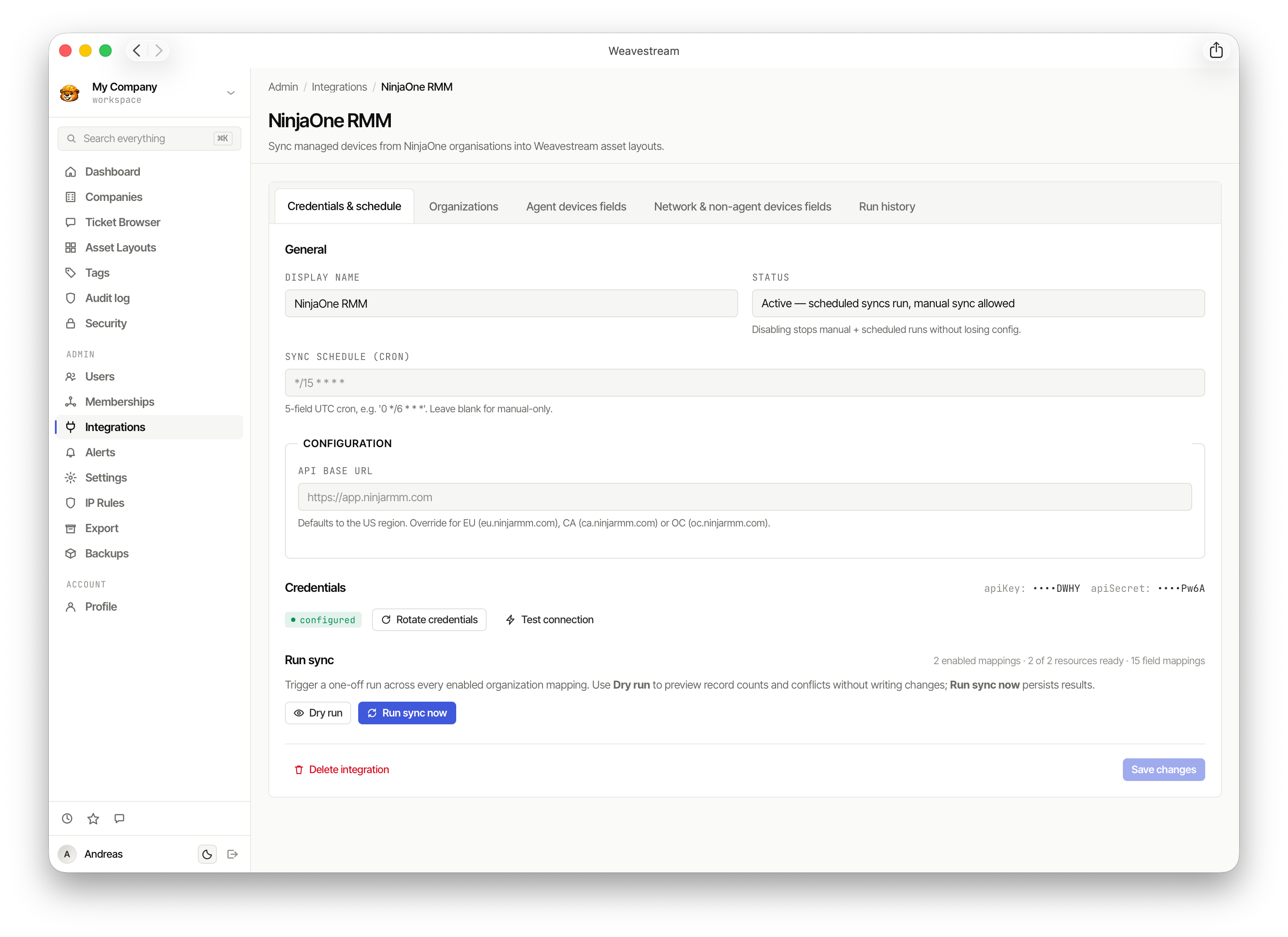
The NinjaOne RMM integration syncs managed devices from NinjaOne organisations into Weavestream asset layouts on a configurable CRON schedule, with dry-run support.
Administration
Users
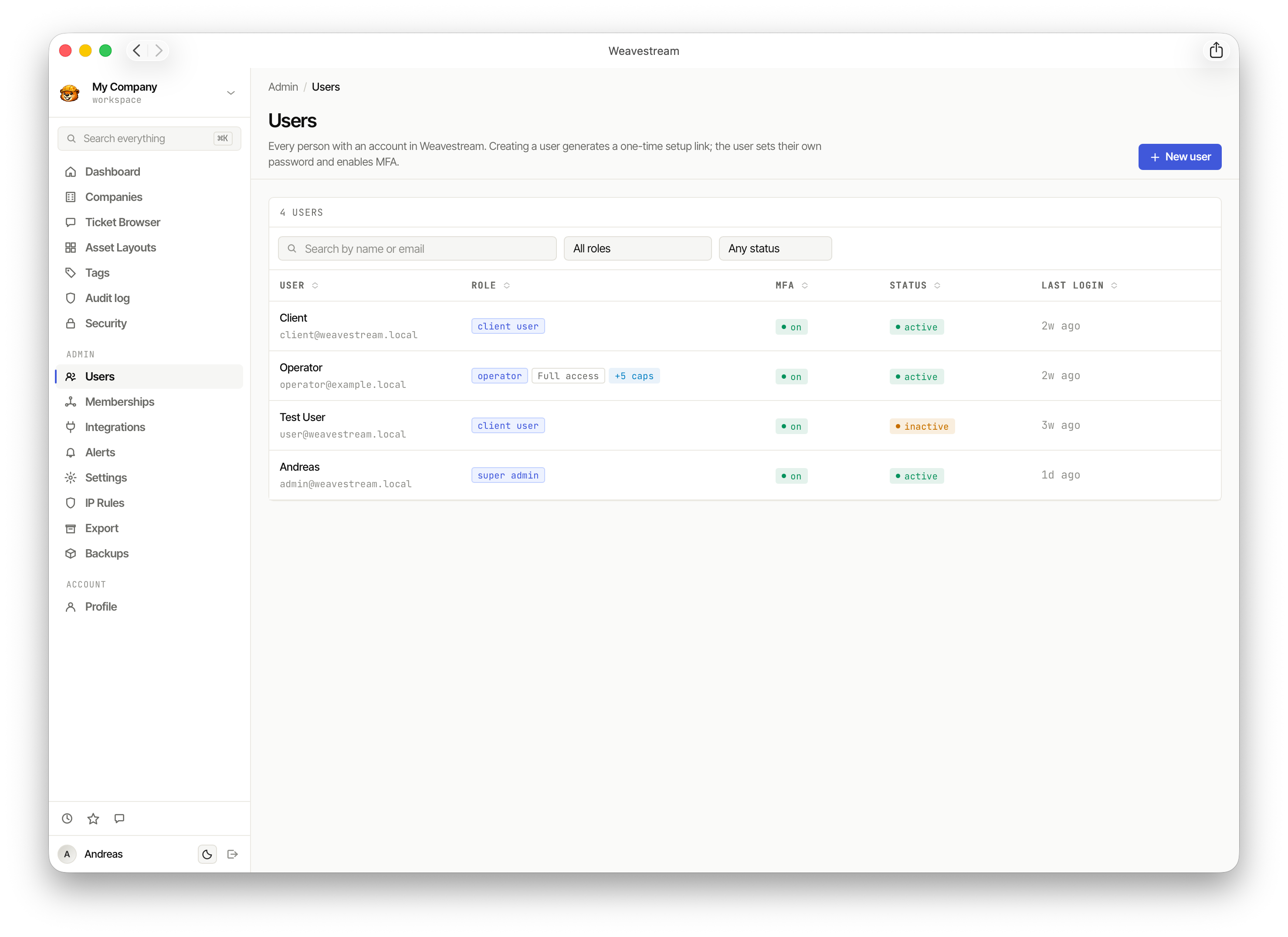
The Users page manages everyone with access to the workspace. Each user has a role (client user, operator, super admin), MFA status, and login history.
Tags
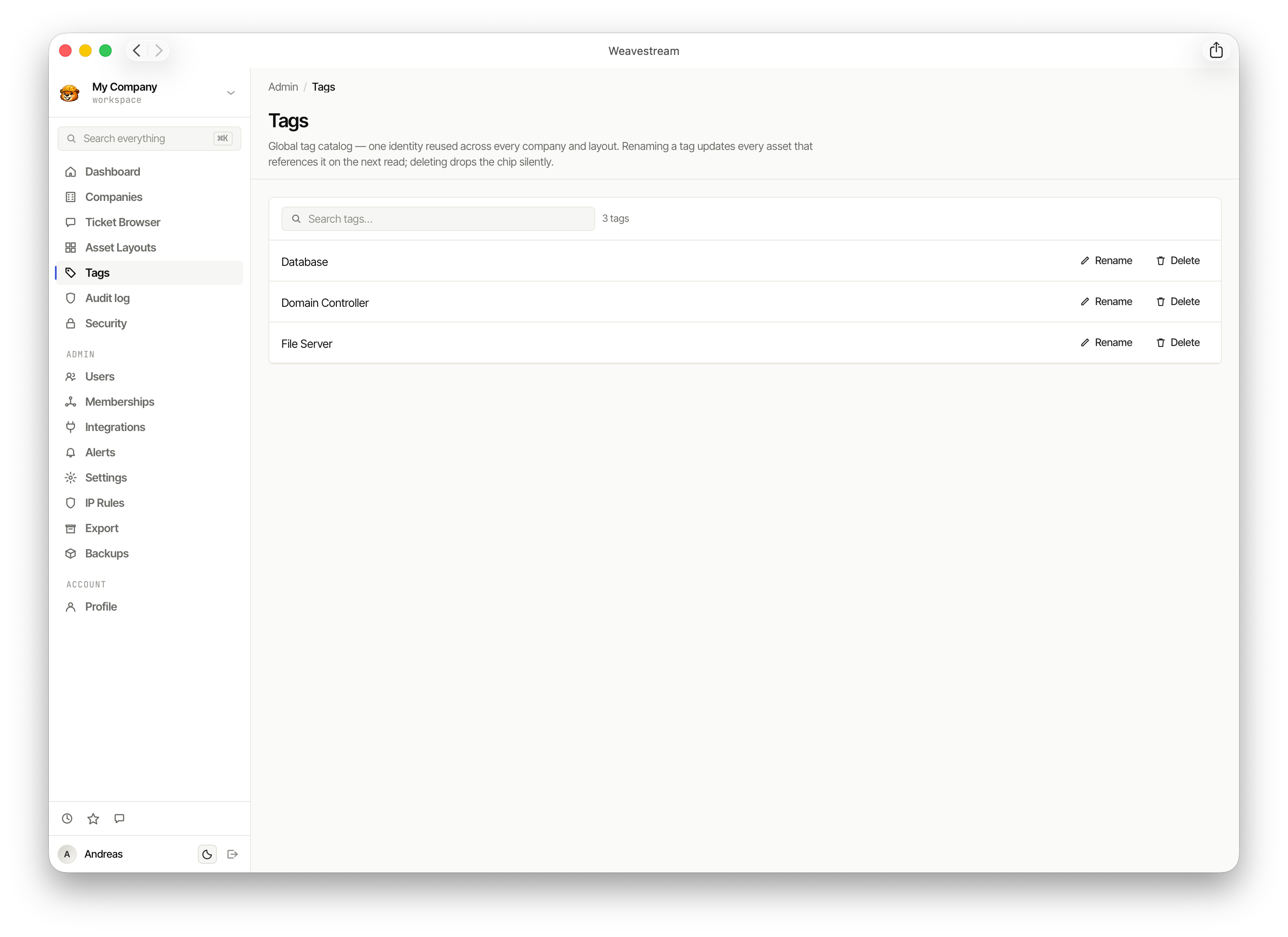
Tags are a global catalog reused across every company and layout. Renaming a tag updates every asset that references it.
Settings
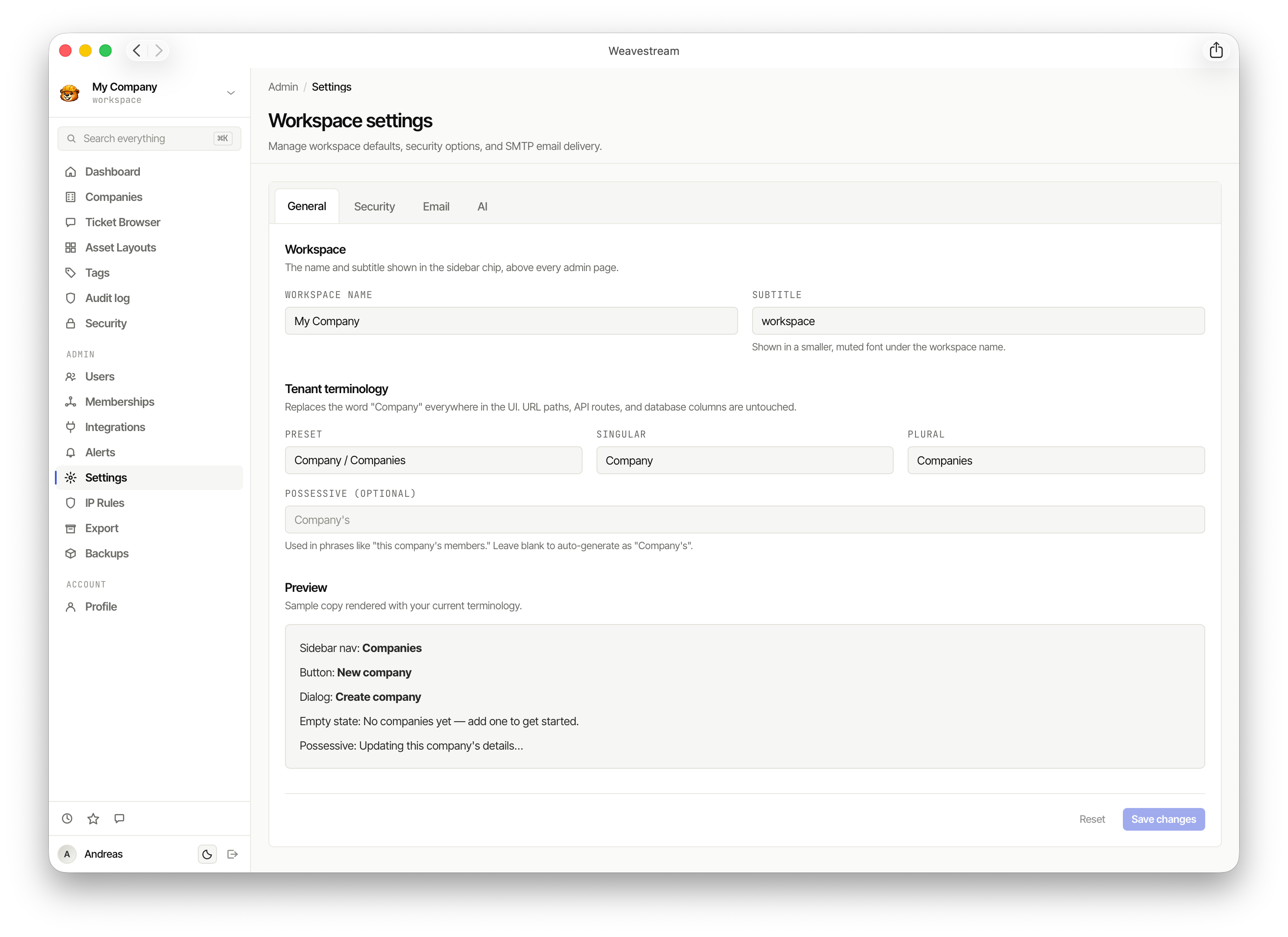
Workspace settings control the workspace name, tenant terminology (rename "Company" to any label), security options, SMTP delivery, and AI configuration.
Profile
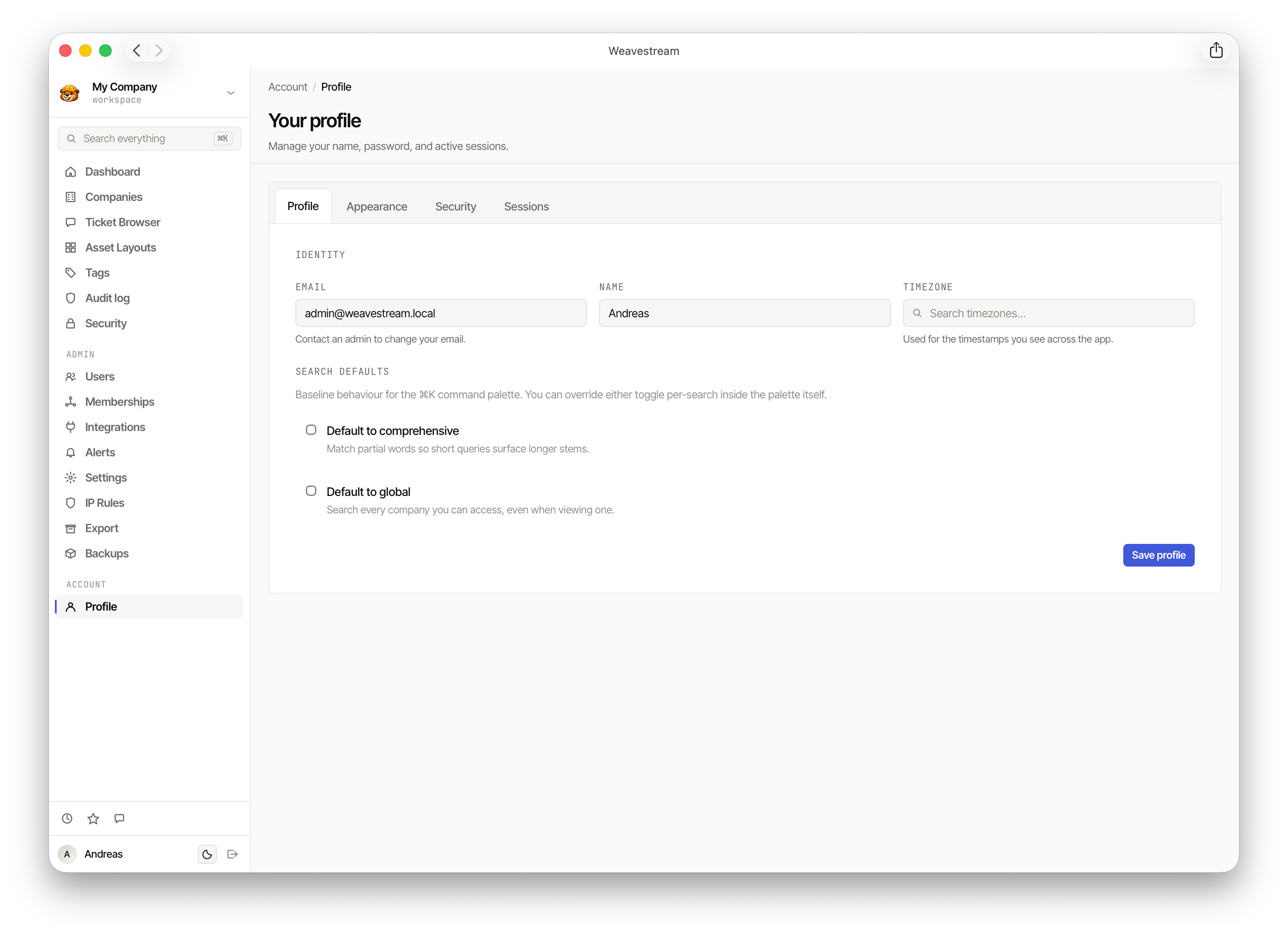
Each user can manage their own identity, appearance, security settings, and search behaviour from their Profile page.