
Domain & SSL Monitoring
Weavestream monitors the health and expiry of any hostname you add. Checks run automatically in the background via the worker and results are aggregated in expiration dashboards.
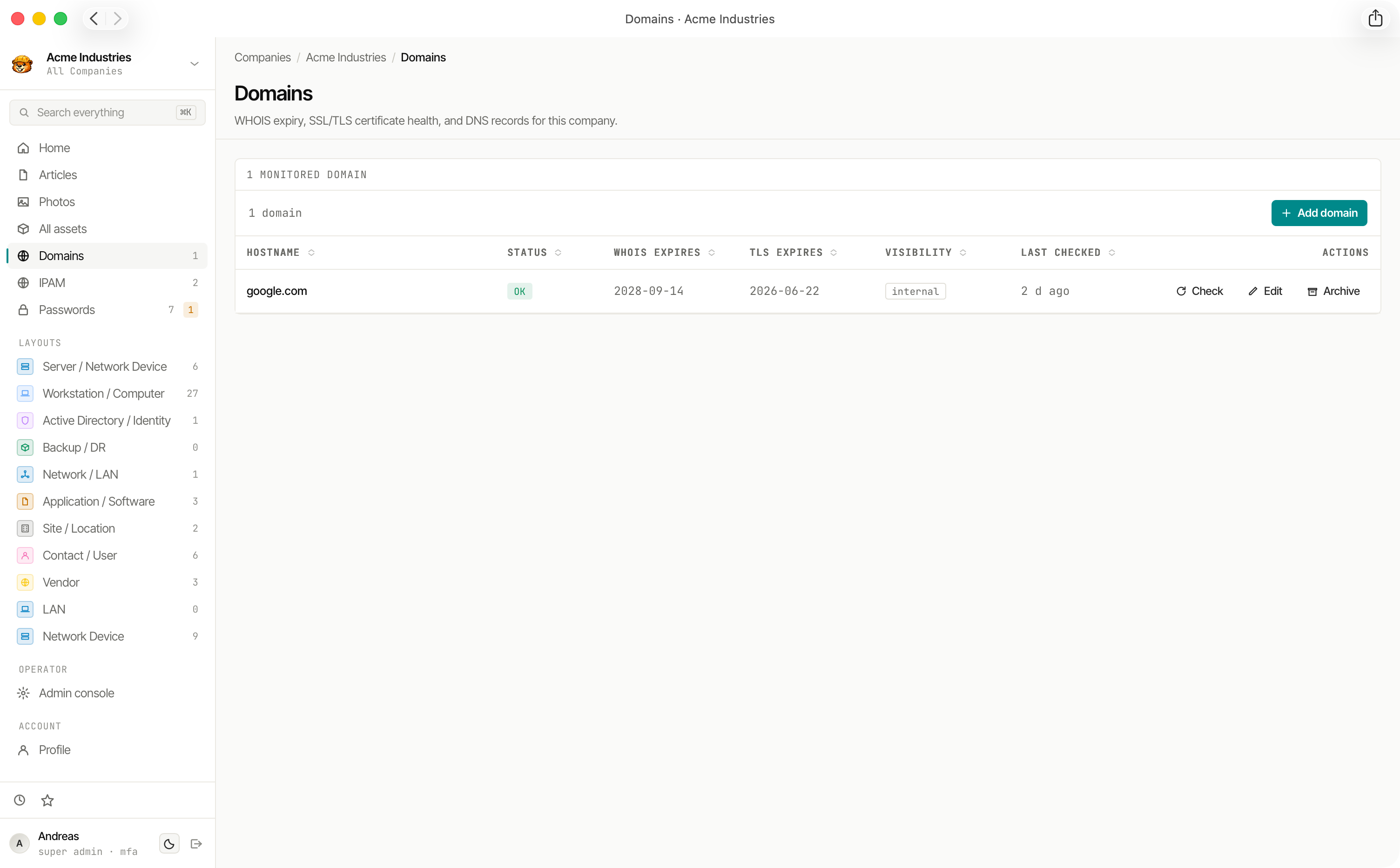
What Gets Checked
Each Monitored Domain runs three independent checks:
Each check produces a status:
- OK — healthy, within threshold
- WARN — approaching the configured expiry threshold
- FAIL — expired or invalid
- SKIP — check disabled or not applicable
Statuses
New domains are checked as soon as they are created; after that the nightly sweep keeps them current.
Alert Thresholds
Each check has a configurable days-before-expiry threshold. When a domain crosses the threshold, its status changes to WARN. Set tighter thresholds for critical domains and looser ones for low-priority hostnames.
Domain Check History
Check results are stored as immutable DomainCheck records — one per check run per domain. This creates an append-only history you can review to understand how a domain's health changed over time.
Expiration Dashboard
Domain expirations (both WHOIS and TLS) roll up into the Expirations view at:
- Global —
/admin/expirations— all domains across all tenants - Per-tenant —
/admin/companies/[id]/expirations— domains for a single tenant
The dashboard also includes asset expiry dates and password expiry dates for a unified view of upcoming renewals.
Where Domains Come From
- Manual: added with New domain.
- Cloudflare: the Cloudflare integration can sync every domain on the account into one company, with registrar details (expiry, auto-renew, lock, nameservers) in a Registrar panel and an orange Cloudflare tag.
- Google Workspace: each mapped Google Workspace tenant adds its verified domains and domain aliases to its company. Existing domains are matched by name, never duplicated; a matched domain only gains a Google Workspace tag (with its role: primary domain, secondary domain or domain alias) and a Google Workspace card. Cloudflare wins on anything both provide.
- Microsoft 365: each mapped Microsoft 365 tenant adds its verified custom domains (never
*.onmicrosoft.com) the same way; a matched domain gains the Microsoft icon and a Microsoft 365 card (default or verified domain, managed or federated, supported services). In the Domains list the source icons are shown Cloudflare first, then Google, then Microsoft.
A synced domain's hostname cannot be renamed, since the syncs match on it. A domain that disappears from its source is flagged, never deleted.
Client Portal Visibility
Domains can be marked visibleToClients. When enabled, the domain and its check history appear in the client portal for that tenant's client users, together with its registrar and Google Workspace details. The name of the integration is never shown to client users.
Background Processing
Domain checks run via BullMQ in the worker service. The schedule is configurable and checks are distributed across workers if you run multiple replicas.